A sensible default is not to hard code Database credentials in your source code. One alternative is to use Environment Variables which provide a low-friction method for managing sensitive data.
In this post I will walk through the process of creating Environment Variables to store Postgres Database connection details and accessing them from Go.
Version One
The function below, is used to connect to a Postgres Database. Whilst it works, the drawback is the credentials such as username and password are stored in the source code.
The goal is to replace these hardcoded values with Environment Variables.
func connectToDB() (*sql.DB, error) {
	connStr := fmt.Sprintf("host=serverName port=5432 user=foo password=bar dbname=companyDB sslmode=enabled")

	db, err := sql.Open("postgres", connStr)
	if err != nil {
		return nil, err
	}
	return db, nil
}
Creating Environment Variables
This is one of many method for creating Environment Variables in a Windows operating system. From the Start menu start typing environment and the following option appears

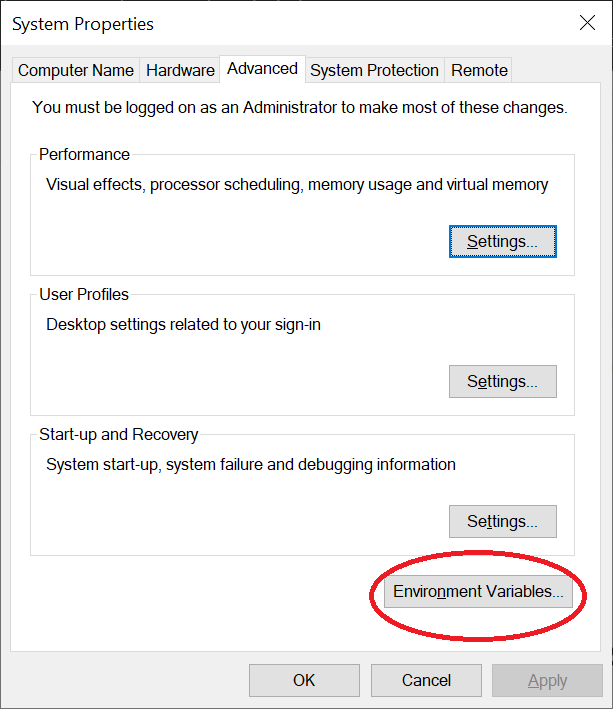
Selecting this, opens System Properties dialog, near the bottom is a button labelled Environment Variables.
The Environment Variables dialogue box is shown, Environment Variables can be defined at System and User Level, the ones we will be creating will be User level. Click the New button for User Variables and add the name of the Variable and it’s Value. Repeat for each of the Environment Values.
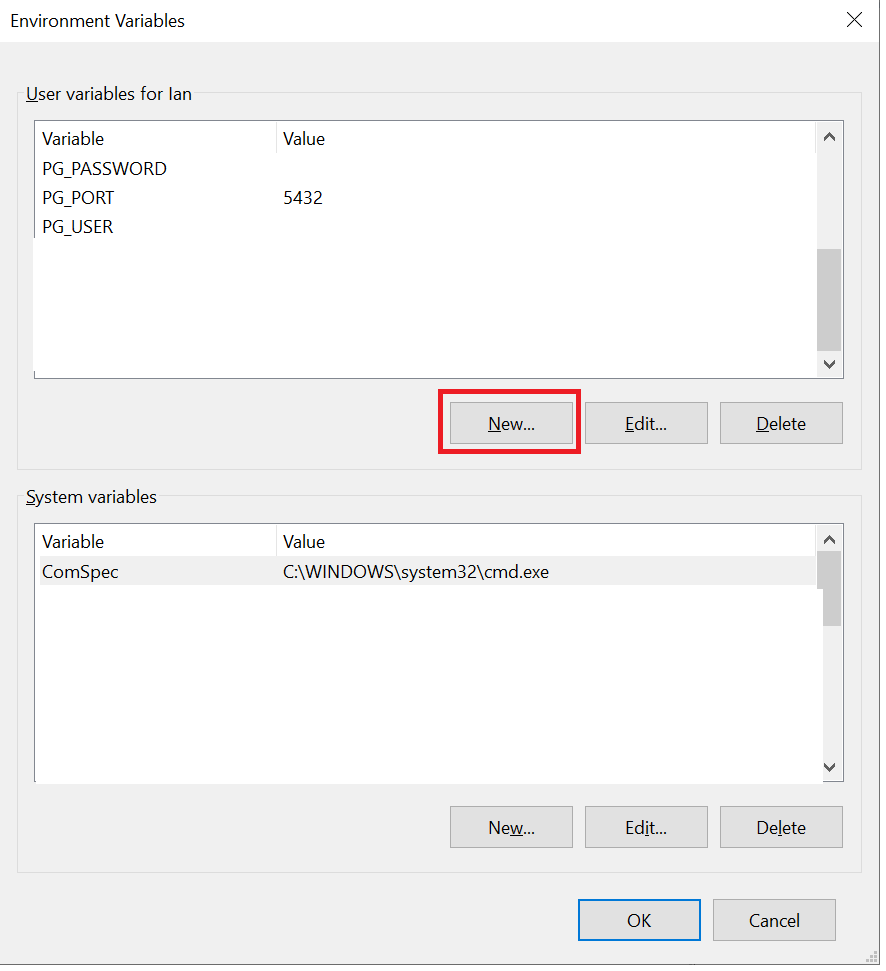
In this example, Environment Variables are required for host, port, user, password, dbname, and sslmode. To avoid name clashes I have found it useful to add a prefix to the names. In this example I have used PG_XXXX where PG stands for Postgres and XXX is the name of the variable so host becomes PG_HOST.
Version Two
Once the Environment Variables have been defined, you can replace the hardcoded values with calls to the function Getenv found in the os package which will obtain the value of the specified Environment Variable.
The next version of the connectToDB function is shown below with the calls to the obtain the Environment Variables highlighted.
func connectToDB() (*sql.DB, error) {
	connStr := fmt.Sprintf("host=%s port=%s user=%s password=%s dbname=%s sslmode=%s",
		os.Getenv("PG_HOST"),
		os.Getenv("PG_PORT"),
		os.Getenv("PG_USER"),
		os.Getenv("PG_PASSWORD"),
		os.Getenv("PG_DB_NAME"),
		os.Getenv("PG_DB_SSLMODE"))

	db, err := sql.Open("postgres", connStr)
	if err != nil {
		return nil, err
	}
	return db, nil
}
 iancarpenter.dev