I didn’t know GitHub Copilot delighters existed until I watched Scott Hanselmann’s recent video where amongst all the usual gold found in Scott’s content he demonstrated a couple of GitHub Copilot delighters and this post is to remind my future self not to forget about them.
With the proliferation of the term Copilot, in this post Copilot refers to GitHub Copilot.
What are Copilot delighters?
Asking Copilot the above question and the reply was…
GitHub Copilot delighters are features or aspects of GitHub Copilot that enhance the user experience by making coding more efficient, enjoyable, and insightful.
This doesn’t really tell you anything useful so a couple of regular tasks that developers undertake will help.
Prerequisites
Access to a Copilot subscription and Visual Studio 2022 Community Edition with the Copilot extension.
Renaming
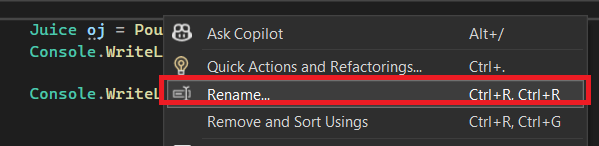
I would like a different name for the method PourOJ, so after selecting it and bringing up the context menu I see the standard Rename option.
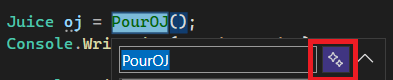
Selecting this brings up the dialog window but with a new button which I have framed by the red border.
Pressing this button brings up several suggestions from Copilot for a new name for this method.
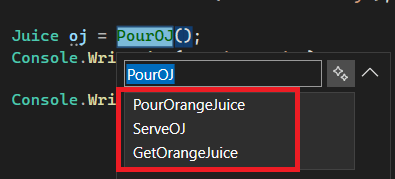
I like PourOrangeJuice so I used this suggestion and the method is renamed.
Commit Messages
After renaming the method I would now like to commit the change and Copilot can help here as well. The Git changes view in Visual Studio has a button, framed in the red border which requests Copilot to generate a commit comment.
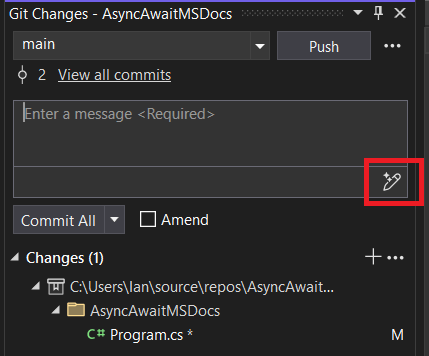
For this change Copilot produced the following comment.
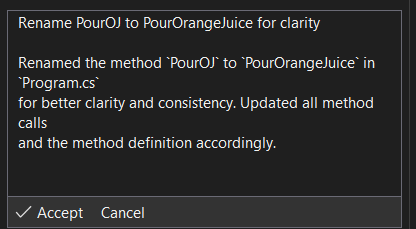
Perhaps more verbose than I would like but the details of the change are correct and with a small tweak the message is good enough.
Summary
These two capabilities live up to their name of delighters. I appreciate the choice when renaming an object or the generated commit message might not be 100% what you are looking for but I still think it is a worthwhile tool to know about if only to provide some some help and ideas for what you ultimately decide upon.
Acknowledgements
Thanks again to Scott for the continued top tier content. You can watch the video that inspired this post here.
 iancarpenter.dev